Project Viewer
Overview
The Project Viewer is a browser-based project viewer opened locally from the REQCHECKER™ application. It gives a quick, interactive view of the computed project without requiring Excel or any external server.
It is intended for day-to-day analysis after a computation:
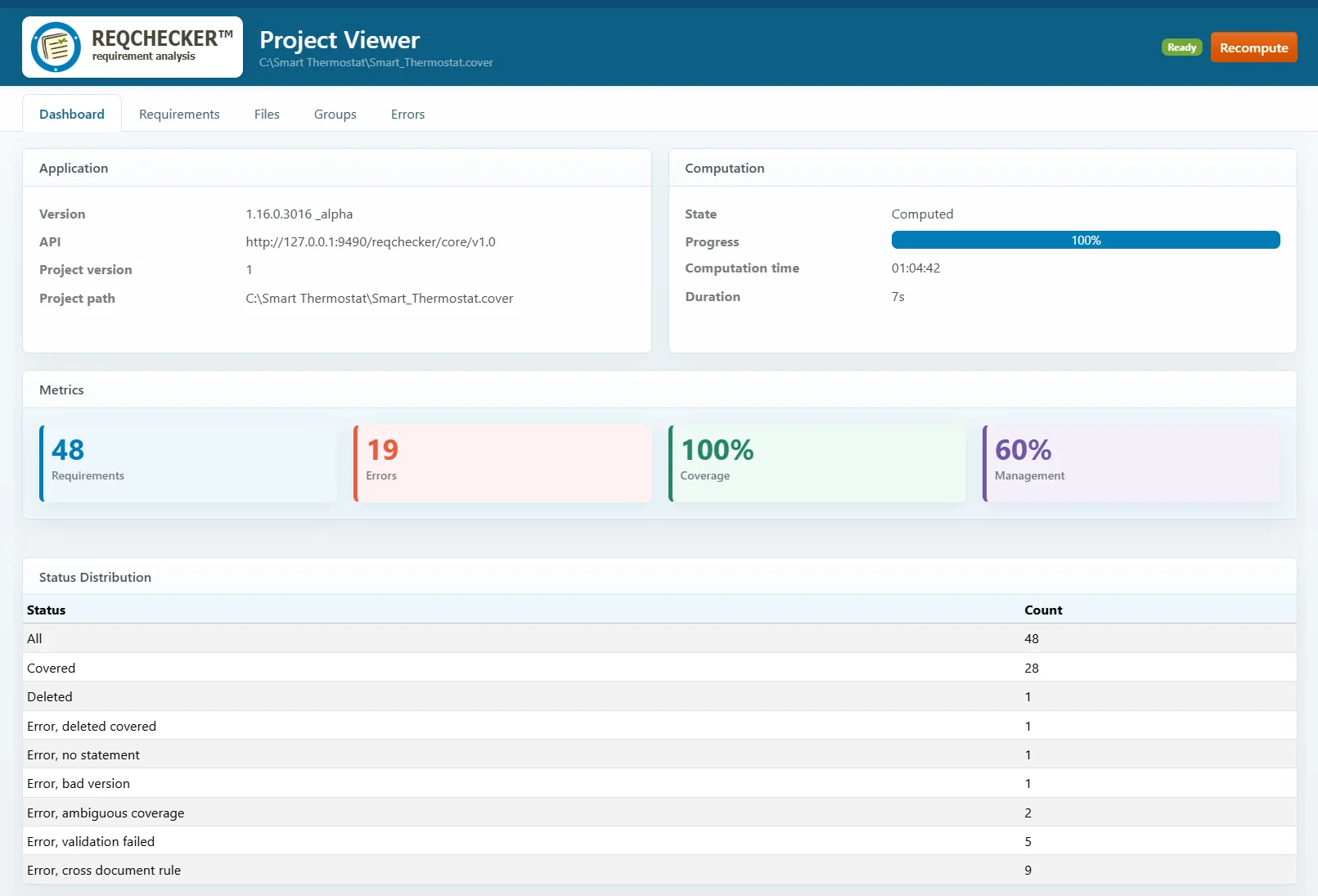
- Check the current application version, API endpoint, and project path.
- Follow the computation state, progress, time, and duration.
- Review global metrics such as requirement count, error count, coverage rate, and management rate. No Rate identifies a rate that does not apply; Undef identifies a rate not yet calculated. Both differ from a valid rate of 0%. Terminal requirements do not contribute to the coverage averages shown in the dashboard or file details.
- Browse requirements, files, groups, and errors from dedicated tabs.
- Review status distribution to quickly identify covered, deleted, or inconsistent requirements.
- Launch a recomputation and refresh the displayed result.
Usage
Open the Project Viewer from the REQCHECKER™ graphical interface after loading a project. The viewer runs in a local web browser and reads the result exposed by the local REQCHECKER™ API.
The viewer is served only from the local computer. Keep REQCHECKER™ open while using it. Use Recompute to run the project again after correcting documents or changing an exclusion.
Dashboard
The Dashboard identifies the Reqchecker application version, project version, local API endpoint, and .cover project path. It also shows the computation state and progress, the latest computation time and duration, the main project metrics, and the distribution of requirement statuses.
Requirements
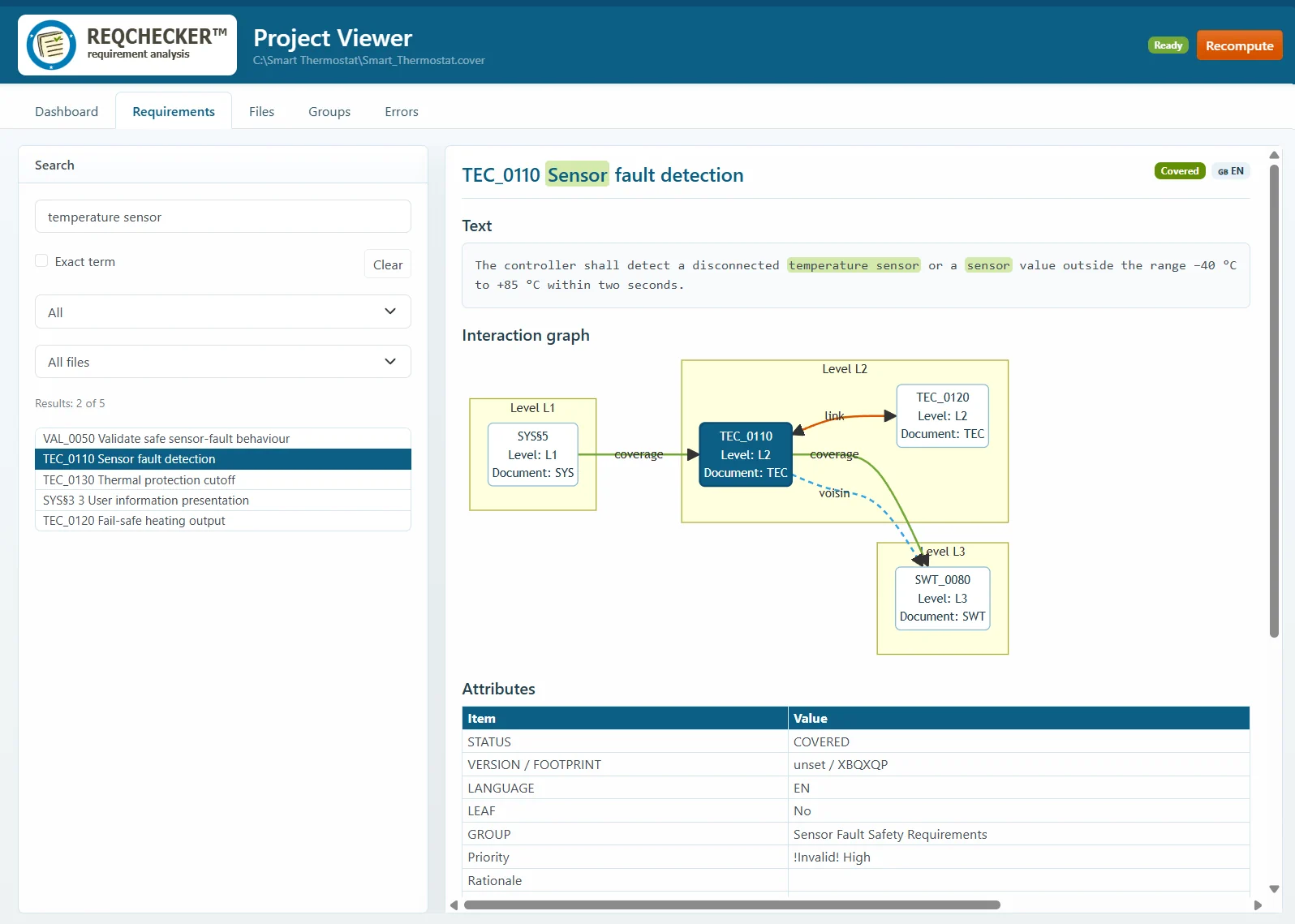
The Requirements tab provides text search and status filtering. Select a result to inspect its text, attributes, statements, coverage links, reference links, and checking errors. Source links open the associated document at the recorded position when the source format supports it. The interaction graph presents relationships around the selected requirement.
The interaction graph arranges requirement levels in blue columns from left to right, with higher level numbers on the right, and highlights the selected requirement. Compact labels, boxes and spacing help compare the graph with the requirement list. Click a node to select that requirement and display its details and graph. Browser Back and Forward restore previous selections.
The configured Table format is applied to tables embedded in requirement text.
Files
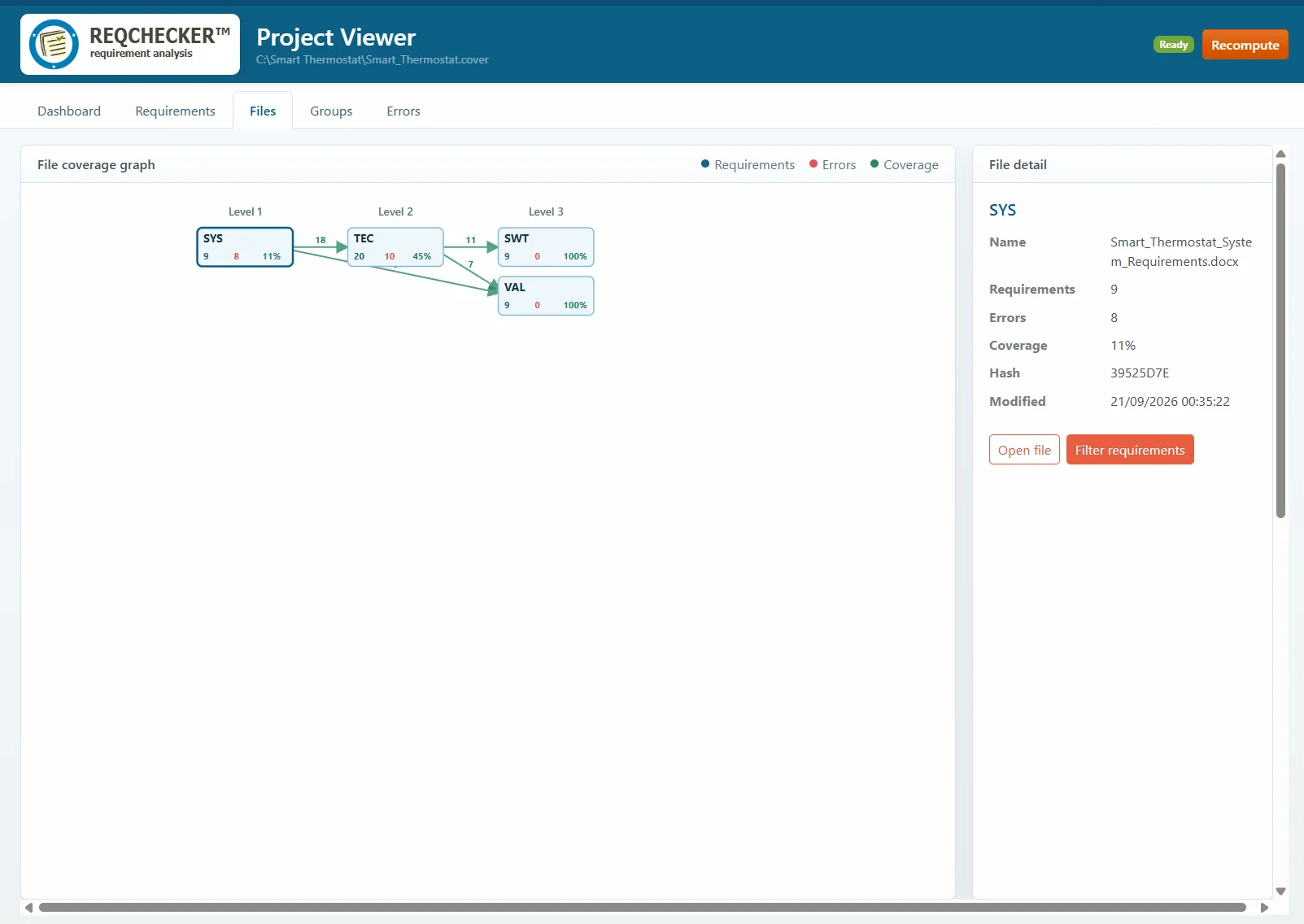
The Files tab presents the analyzed inputs and the coverage links between them. The file list includes each identifier, name, requirement and error counts, coverage metric, hash, and last modification date. Select a file to review its details, open the source, or filter the Requirements tab to that file.
The coverage graph provides All files and Multi-level views. It helps identify upstream and downstream documents and gaps in the project structure.
Groups
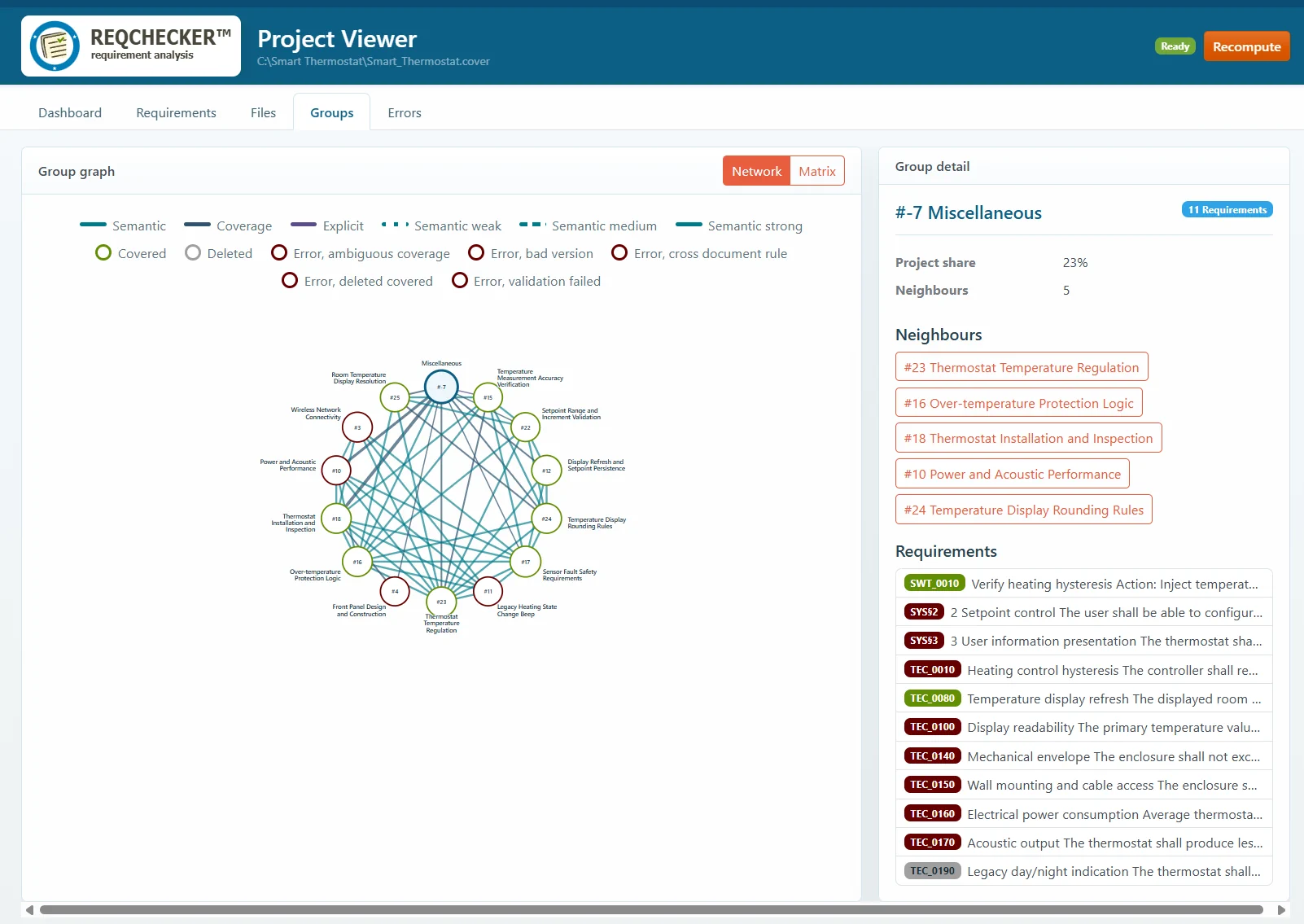
The Groups tab is available when semantic groups were computed. It provides network and matrix views of relationships between groups, with details such as group size, project percentage, dominant type, neighbouring groups, and the requirements contained in the selected group.
Quick Insights
In the Requirements and Groups tabs, select Quick Insights in the toolbar to open a resizable panel on the right. The panel always displays one Summary of the selected requirement or of the entire selected group. Group summaries cover only the visible requirements belonging to that group, without neighbouring groups. Each displayed summary ends with (AI-generated), including translated summaries.
Select Run to generate the summary with the local generative model. Enable Translate to translate the final summary into the Reqchecker interface language. Without translation, the summary uses the source language; for a multilingual group, it uses the first language encountered in the order of requirements displayed in the group detail. No target-language selection is required.
Auto is off by default. When enabled, it generates a summary after selection or option changes and after a completed recomputation, while the panel is visible. Changing selection or options clears the previous text. During a computation, Quick Insights is unavailable and previous responses cannot repopulate it.
Summaries include both the title and body of each selected requirement. Selecting Recompute cancels the remaining Quick Insights steps. If a local inference is still finishing, the viewer displays a waiting message and does not start verification; select Recompute again once the inference has finished.
Large groups are processed in blocks and their intermediate summaries are combined into one global summary. Only that final summary is translated. The status displays the number of completed processing steps. Cancel abandons the remaining steps; an inference already running may finish, but its answer will not be displayed.
Use Quick Insights again to hide the panel. No automatic processing runs while it is hidden or while another tab is active. Each explicit reopening restores the default width and disables Translate and Auto; settings are not persisted.
Quick Insights requires a generative AI effort setting. It uses the existing local LLM cache, including intermediate summaries, to reuse results when the supplied texts and generation settings are unchanged. It summarizes the currently loaded computation result: after editing a document or a CMS ticket, use Recompute to load the updated content. Generated summaries are reading assistance and do not modify source requirements, traceability, or verification results.
Analysis assistant
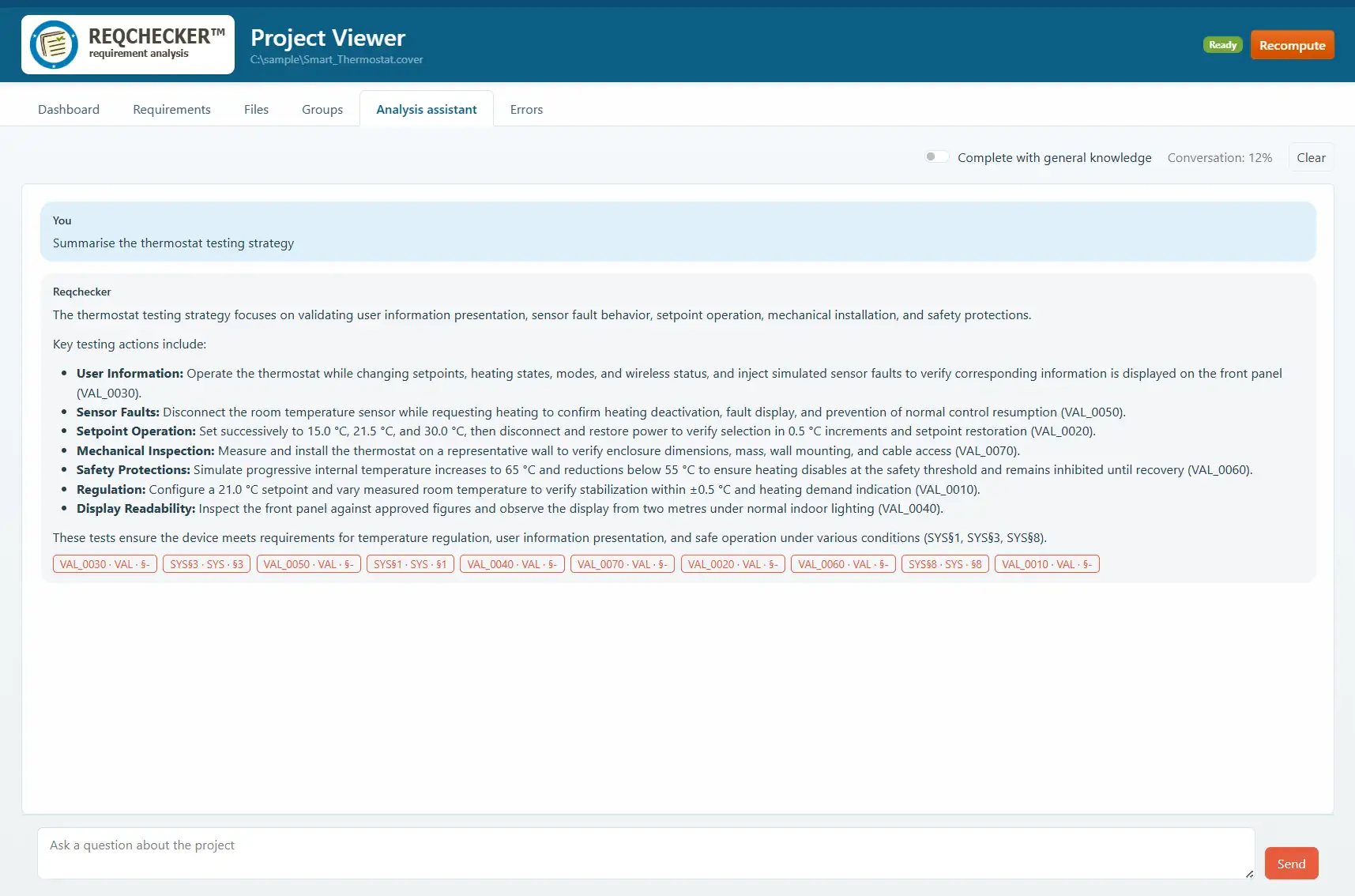
The Analysis assistant asks the local generative model questions about the currently computed project. Reqchecker first retrieves the most relevant requirements for the question and then gives only that controlled context to the model. The selection in the Requirements tab does not influence the assistant's context. It returns textual answers with limited Markdown formatting. Supporting requirement references are displayed below each answer and open the corresponding requirement in the Requirements tab.
By default, the assistant answers only from project information. Enable Complete with general knowledge when professional reasoning or general information may complement the requirements; such additions are identified separately and are not guaranteed by the project. Clear removes the in-memory conversation, while Compact summarizes it when the conversation reaches its context allocation. Neither operation stores a conversation on disk.
Errors and false-positive exclusions
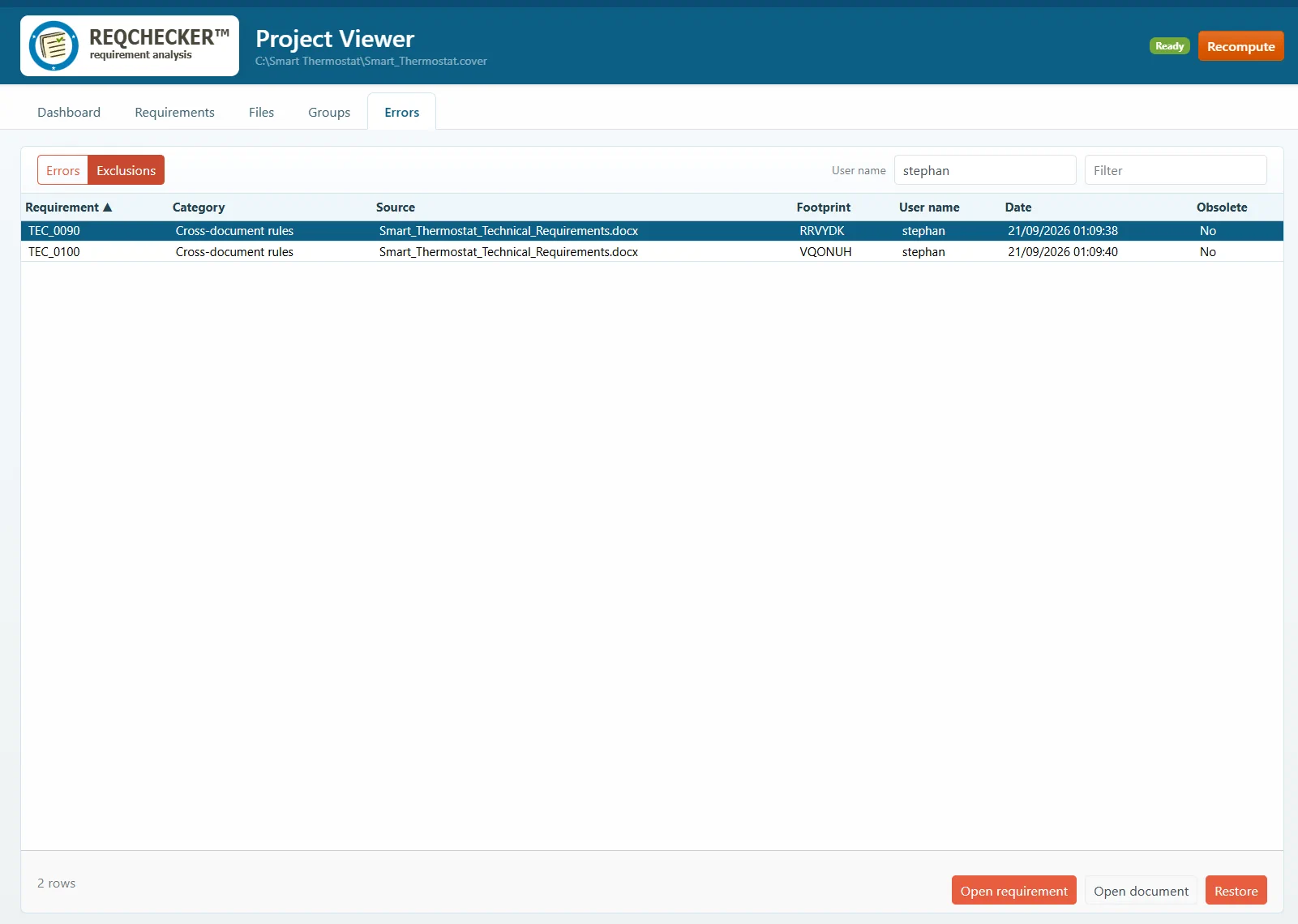
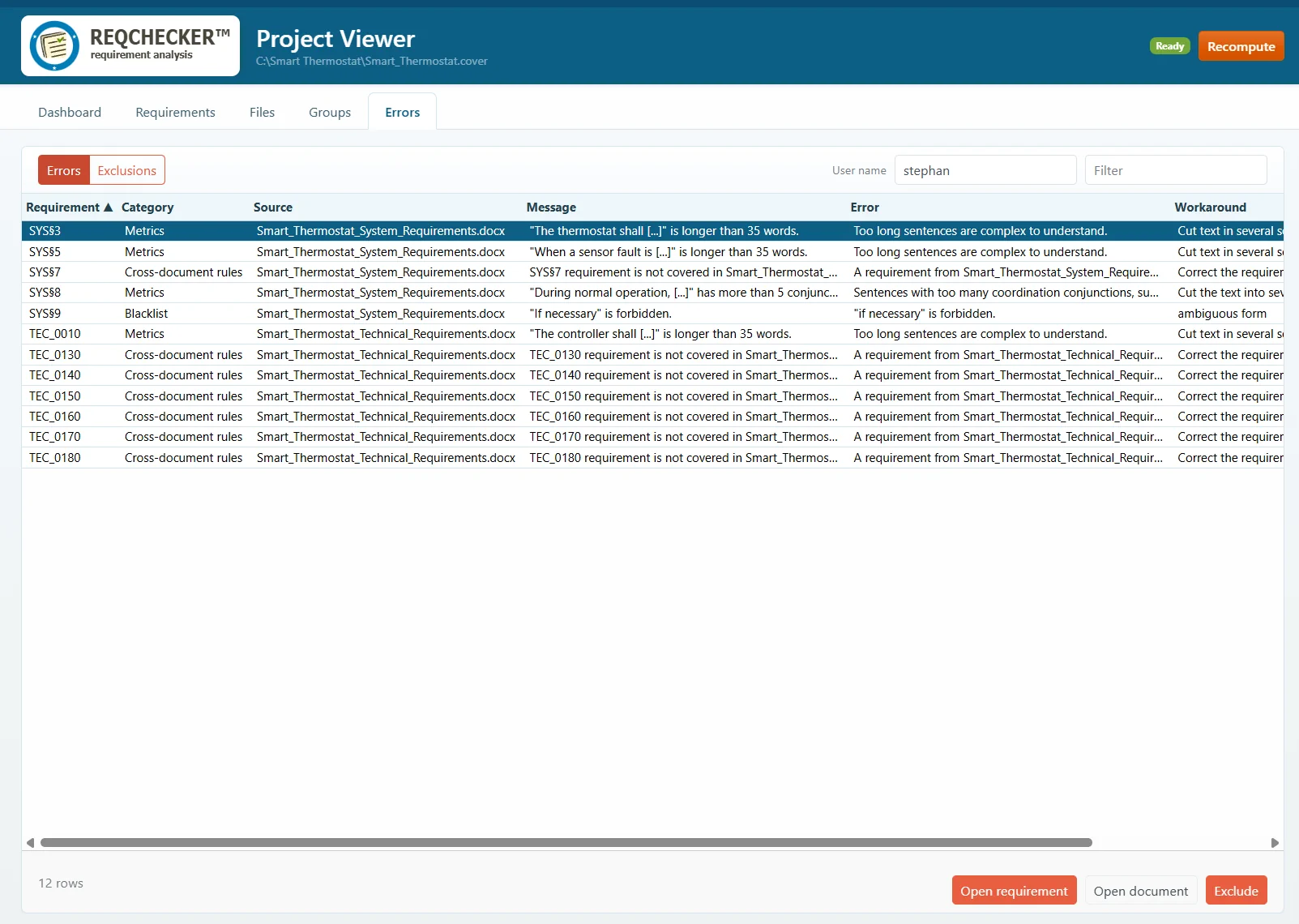
The Errors tab lists the active checking errors with their category, requirement, message, source, and proposed workaround. From an active error, you can open the requirement, open its source document, or select Exclude when the error is a confirmed false positive.
Enter your user name before creating an exclusion. REQCHECKER™ stores the error category, requirement ID, error footprint, user, and date in the .cover project file. The error footprint ties the exclusion to the precise detected issue rather than hiding all errors for the requirement.
Switch to Exclusions to review the stored exclusions:
- Restore makes a matching excluded error active again.
- Delete removes the stored exclusion.
- An obsolete exclusion no longer matches a current error, for example because the requirement text or checking result changed. Review and delete obsolete entries when they are no longer useful.
The same stored entries can be reviewed and removed from the Error exclusions project tab. Recompute the project after changing exclusions so that all displayed results and metrics reflect the current state.