Error exclusions
The Error exclusions project tab lists the checking errors that users have explicitly identified as false positives in the Project Viewer. Exclusions are project data and are saved in the .cover file.
Each row records:
- the checking category;
- the requirement ID;
- the error footprint used to identify the precise occurrence;
- the user who created the exclusion;
- its creation date;
- whether the exclusion is obsolete.
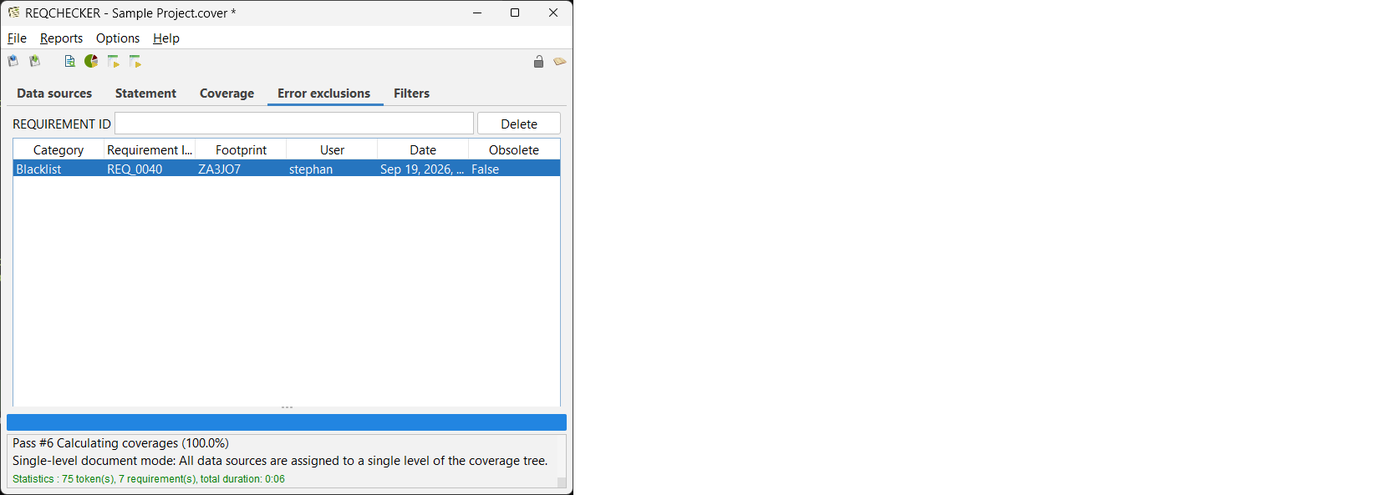
Filter the list by requirement ID to locate an entry. To remove exclusions, select the relevant rows and click Delete. After deletion, a matching error becomes active again during the next computation.
An exclusion becomes obsolete when it no longer matches a current checking error. This commonly occurs after the requirement or the checking result has changed. Obsolete exclusions do not suppress unrelated errors and can be deleted after review.
Use exclusions only for reviewed false positives. Correct genuine issues in the source documents, then recompute and review the Project Viewer as described in the continuous document checking workflow.